Test Automation Environment
You have two environments available for running the test automation process:
- Cloud environment (browser)
- Local environment (browser)
Local environment
Click the Automate button and select the Local option. A Local Run popup appears, allowing you to download the desktop application required to run the automation process in your local browser.
The Local Runner application is available for all major operating systems, including Windows, Linux, and macOS.
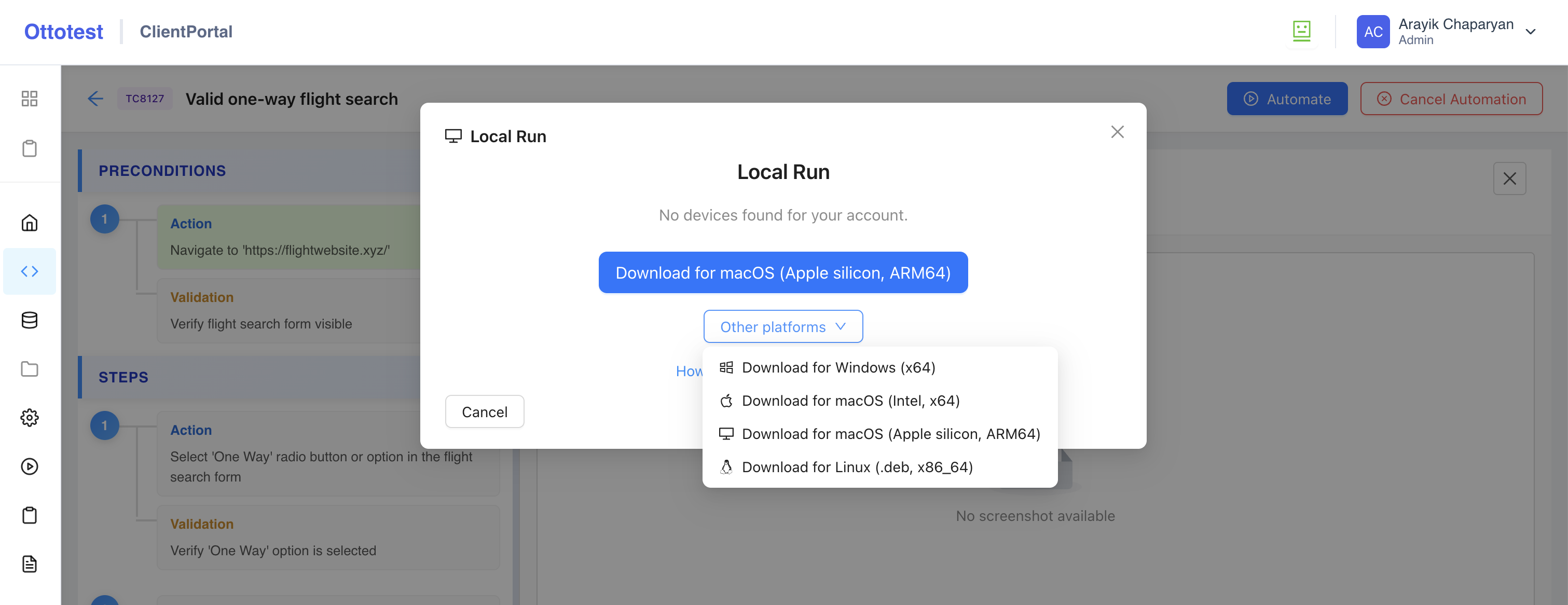
After downloading, installing, and running the program, log in using the same credentials you use to login to the web platform.
Once you are logged in, the web platform automatically detects your device and displays it in the Local Run popup.
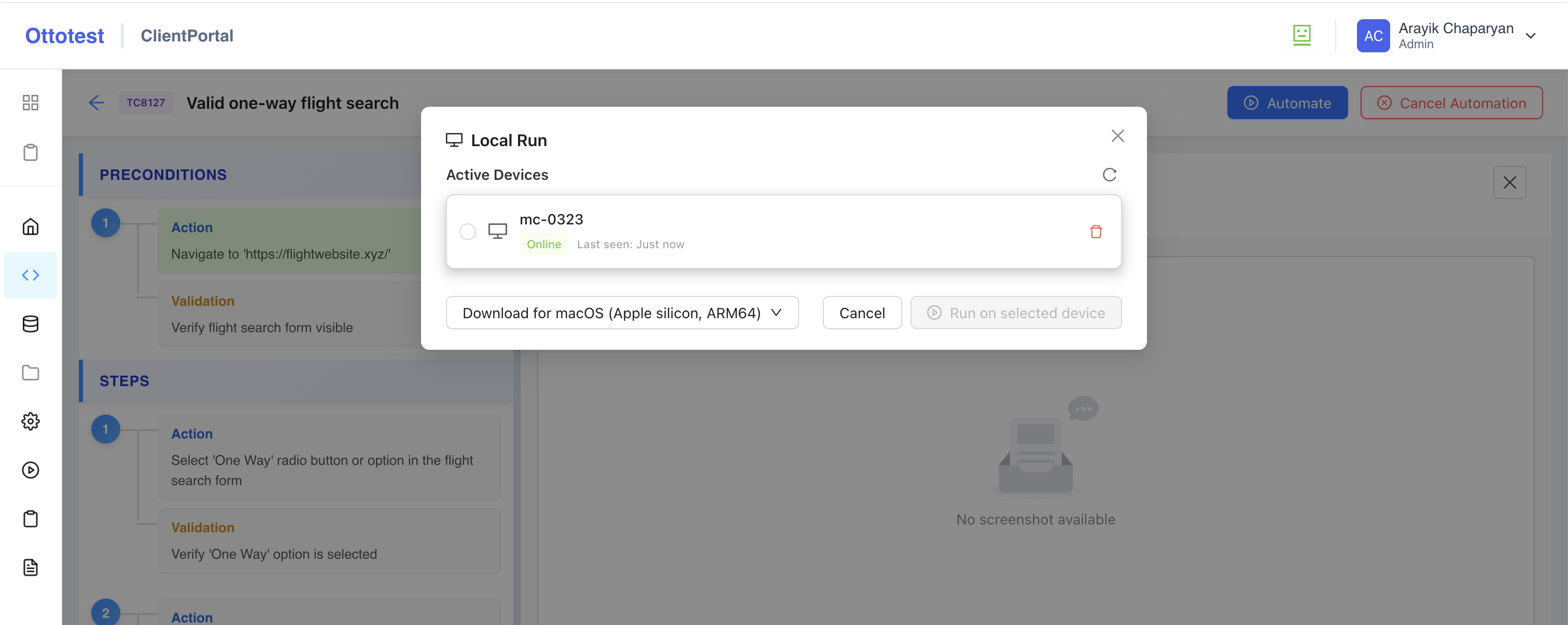
At this point, select the local device and click the Run on selected device button to start the test automation configuration process.
Cloud environment
Click the Automate button and select the Cloud option. A Cloud Run popup appears, allowing you to start the test automation configuration process - same for local environment.