Intro
Discover AI-powered test automation with Ottotest.
Getting started
Begin by creating a new test case in one of the following ways:
- Generate it from requirements using the AI assistant
- Import it from a CSV file
- Create it manually
Once the test case is reviewed, finalized, and ready to be automated, you can start the automation process.
Make sure you are on the test case details view, where you can see the Automate With AI button.
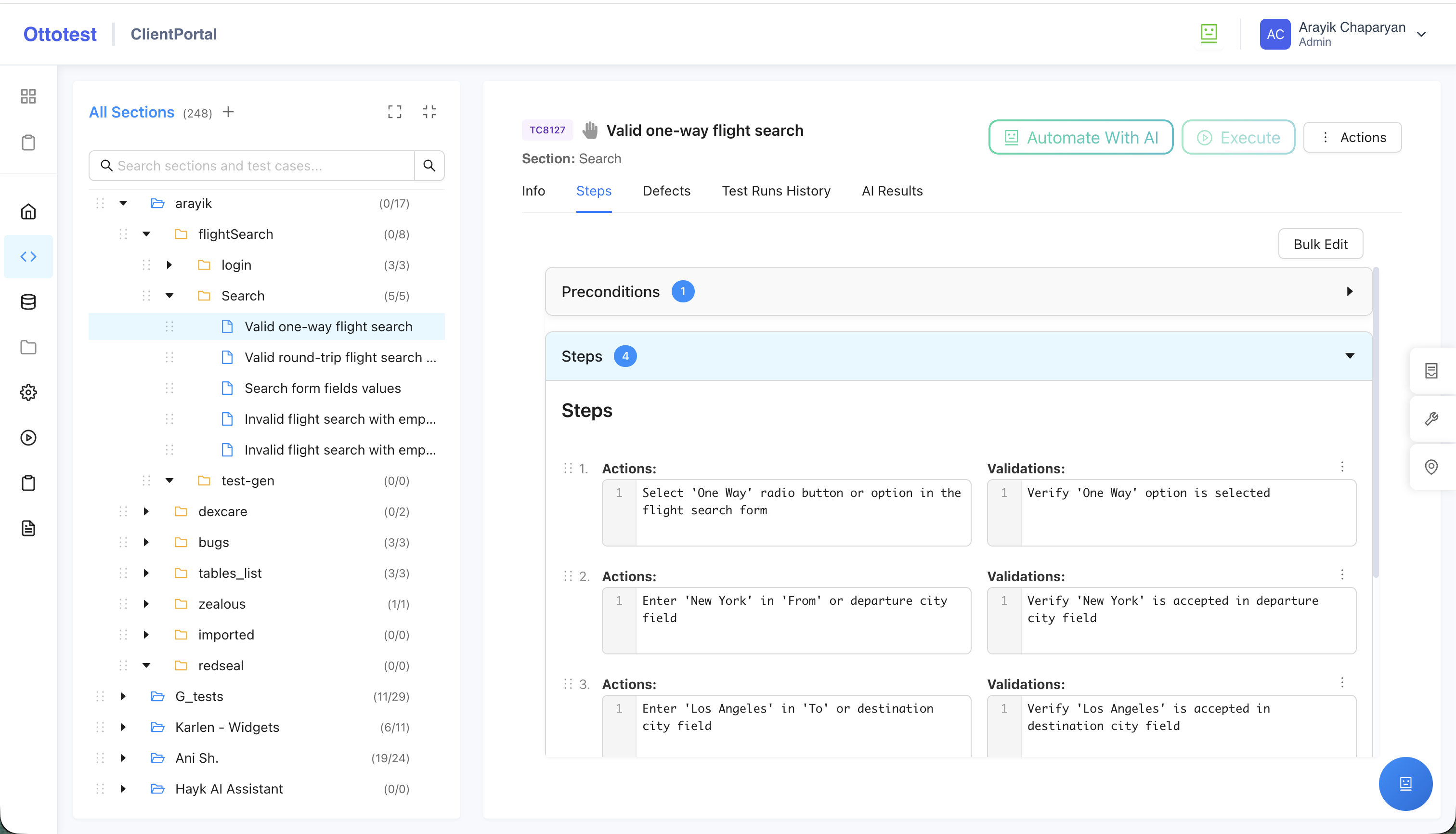
When you click Automate With AI, you are taken to the Test Automation page, where Ottotest automatically analyzes the test case and prepares it for automation.