API requests in Test Case and Test Automation
Ottotest allows users to send REST API requests directly from a test scenario and extract values from the response to use in later steps.
This is useful when your test flow requires:
- Calling backend APIs
- Validating API responses
- Saving response values (IDs, tokens, etc.) for future steps
Basic Usage
To create an API request inside a scenario step, type:
$make_request:
After typing this command, a popup window will appear.
The popup contains two fields:
| Field | Description |
|---|---|
| Short Description | A short name explaining what the request does |
| Full cURL Command | The complete cURL command representing the API request |
Example
Step in Scenario
$make_request:
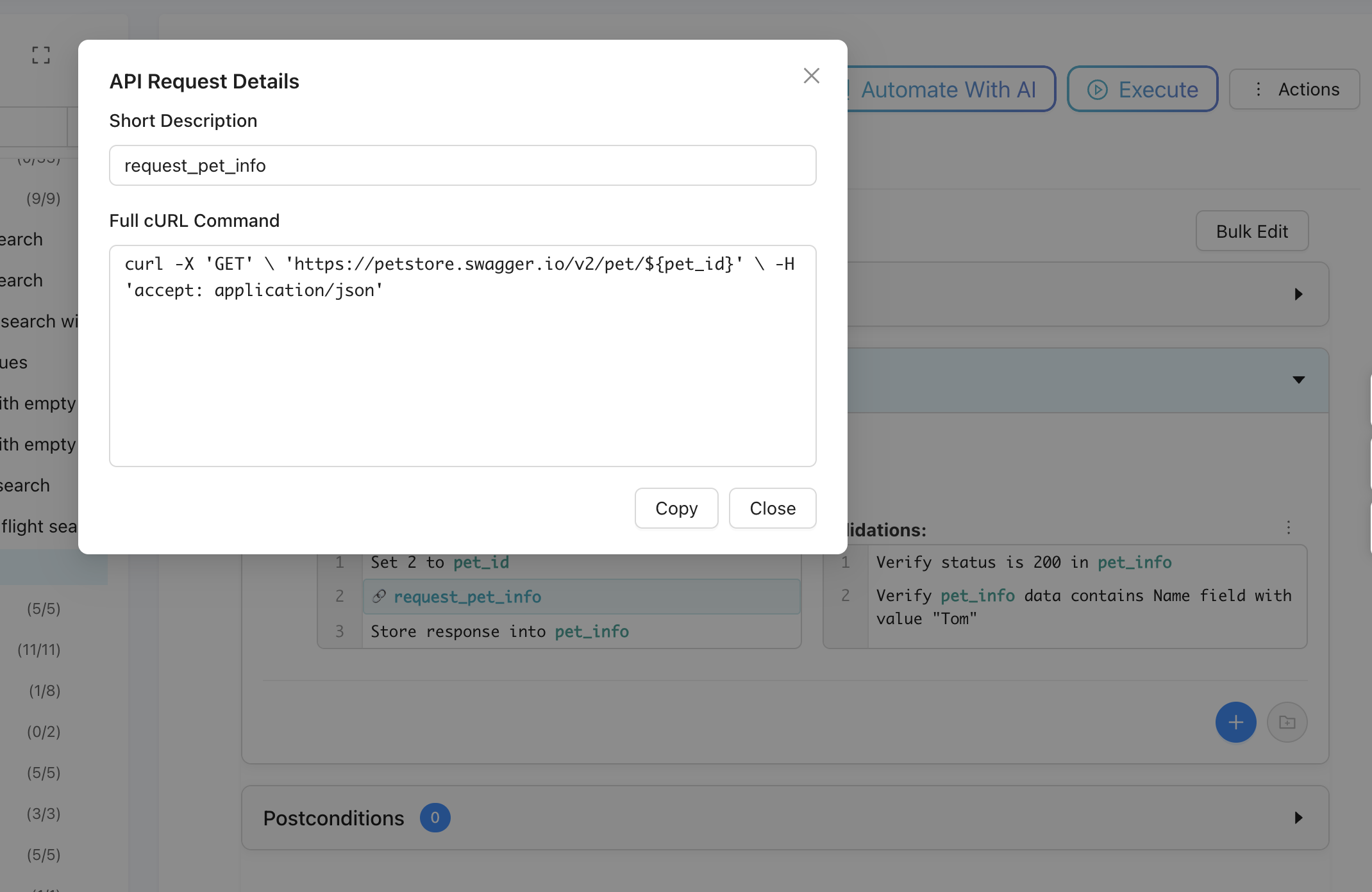
where
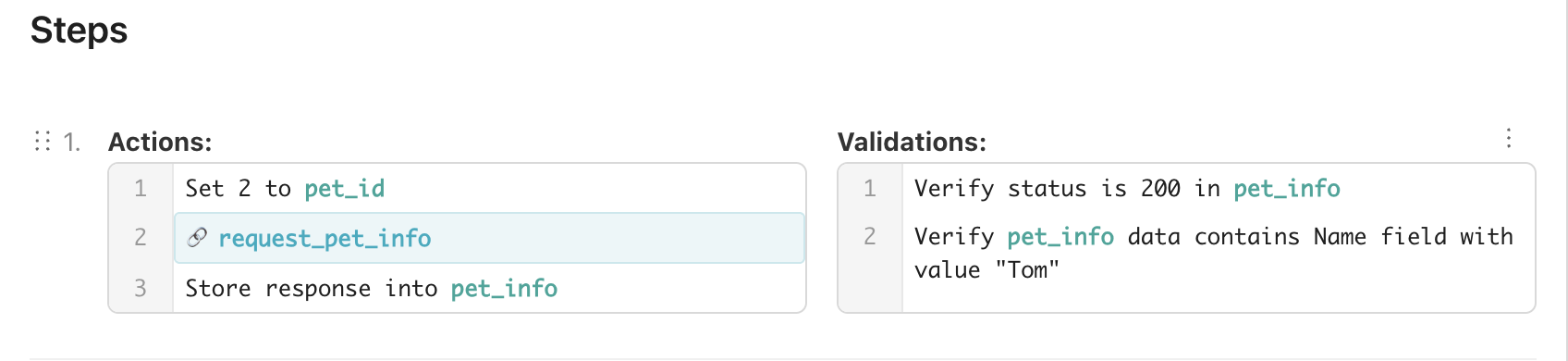
Actions
- Prepare variable of pet ID: pet_id
- $make_request: reqeust_pet_info (pet ID set via predefined variable)
- Store response into pet_info variable
Validations
- Verify status code = 200
- Verify 'Name' field or response data
Response Handling
After the request is executed, Ottotest captures the API response. Users can extract specific values from the response and reuse them in later scenario steps.